Train Sim World Help and FAQ
Common Questions
- Which Version of Train Sim World is compatible with TS Controllers?
Apart from the AWS/Emergency/ DSD plungers, you will need to run Train Sim World 5 (PC only) to be able to controller the simulator.
The Steam and Xbox for Windows version is compatible.
This is because Train Sim World 5 has a new communication interface to enable full control for external controllers. - Which Controllers are compatible with Train Sim World 5?
All TS Controllers products are compatible with Train Sim World 5. - Which Add-ons/ DLC is compatible?
Currently almost all trains/locos should be compatible. Some German add-ons still need to be added. Please contact TS Controllers if there are any problems with a particualr add-on, and this will be supported. - Does the DSD Pedal work?
Not yet, this free feature still needs to be worked on.
Connection issues
The app reports:
Unable to connect to Train Sim World.
- Ensure Train Sim World 5 is running.
- Train Sim World should have the launch option -httpapi set in the Steam app.
- If you are running the Xbox for windows version, please see this page
Enabling TSW5 control: Adding the -httpapi Steam Launch Option
To enable the TS Controllers app to communicate with TSW5, a Steam Launch option needs to be added manually one time.
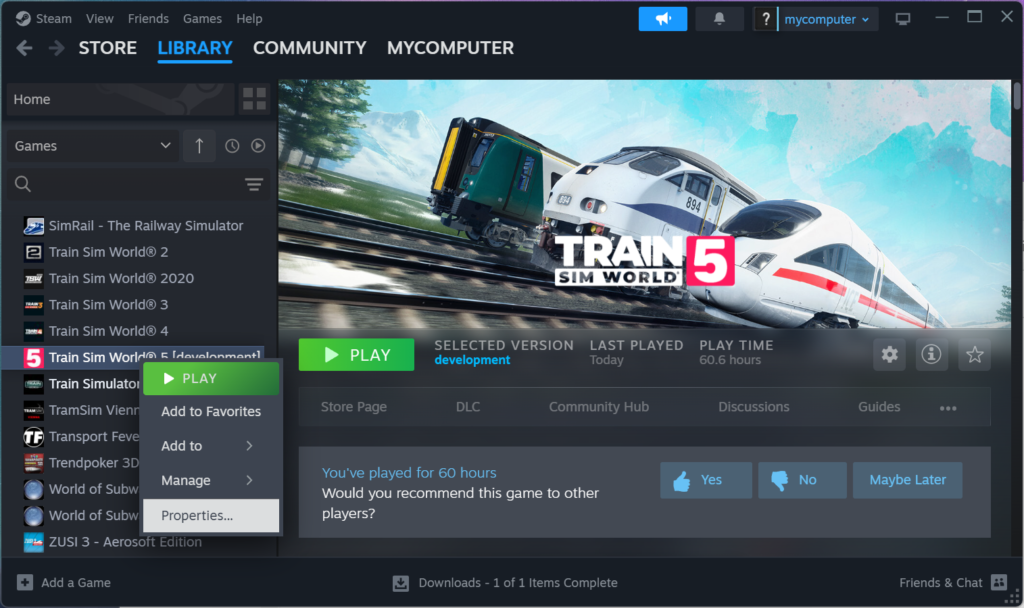
- Open the Steam App
- Right click on Train Sim World 5, and select Properties

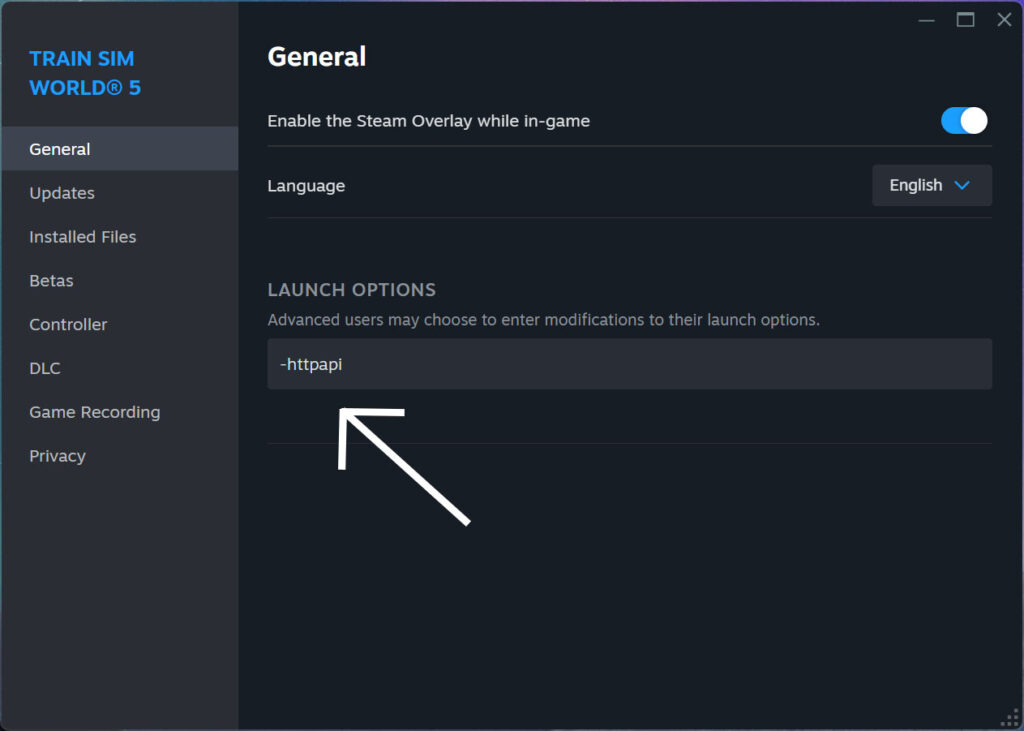
- When the properties window is open, ensure you are in the General Tab, and type -httpapi in the Launch Options text box.
If you already have launch options in there such as -DX12, just add it after that, so it would be: -DX12 -httpapi
The TS Controllers app, should now be able to control Train Sim World 5.